Two minor changes have been made to how Office Choice Pricing is used in BBS.
Do Not Update List/Edu Price Flags Moved
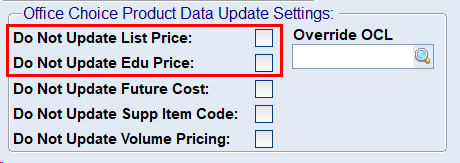
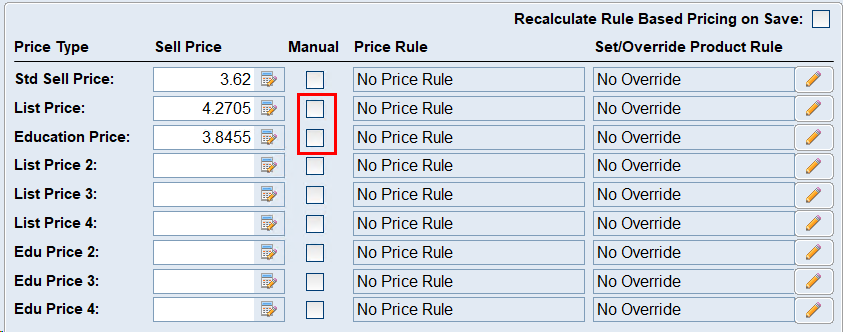
The Do Not Update List Price and Do Not Update Education Price tick boxes that were present on the More Information Tab of Product Masterfile Maintenance have been removed and replaced with the Manual tick boxes next to the List and Education prices on the Sell Prices, Rules and Overrides tab of Product Masterfile Maintenance. All data from the old settings have been migrated across to the new Manual flags and all logic that relies on them has been updated accordingly.
OLD LOCATION |
NEW LOCATION |
Sell Price Rule - Product Level Overrides will override Office Choice Pricing
Where a Sell Price Rule - Product Level Override, as detailed in the 25.05.03 - ***NEW*** Sell Price Rule Product Level Overrides release note and accompanying documentation, is set on a product for a List or Education price, the price will no longer be updated from the Office Choice data, and the product level override will take over instead. This change allows users that do not want to sell items for the Office Choice price to specify their own dynamic markups or G/P targets on items, that will update as costs change, without having to flag the products as manual and manually maintain the prices.
For more information regarding the automated sell price heirachy, please refer to Automated Sell Pricing.